What is Stick
A link in bio page that looks like you built it
Stick is a link in bio builder where the design is the free part: every block and every theme, styled how you like, published on a Stick subdomain. What it does, what it does not, and who it is not for.
CREATE YOUR SITE — FREEWhat Stick is
Stick builds the page your Instagram, TikTok and YouTube bios point at — the one link those profiles give you, pointing at everything instead of one thing. Your links go on it, along with whatever else the page needs to do its job: a video at the top, a gallery, a form that collects email addresses, directions to your studio.
It publishes at yourname.stick.site. Nothing to install, no code anywhere in it, and the first version takes about as long as writing the bio it goes in.
What a Stick page looks like
Three of the designs from our homepage. They are ours rather than customers' pages, built from the same blocks and themes the free plan includes.
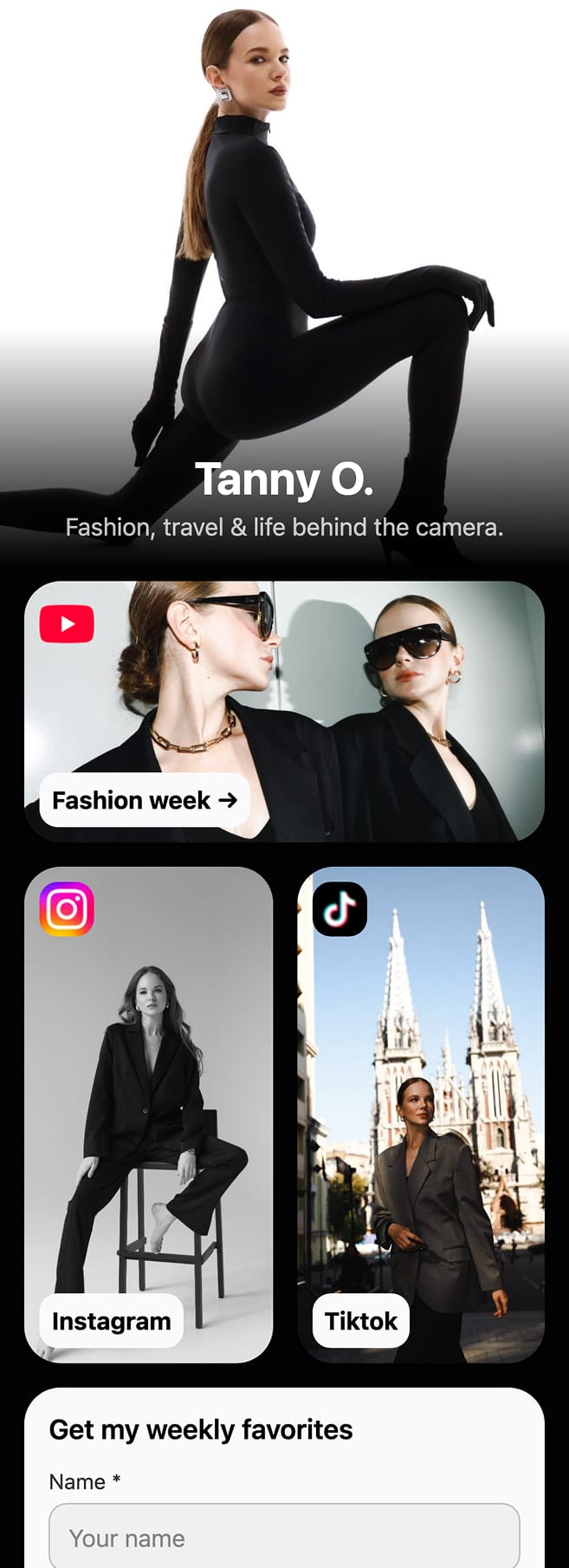
Tanny O. — photo links to YouTube, Instagram and TikTok, and a form for a weekly newsletter. 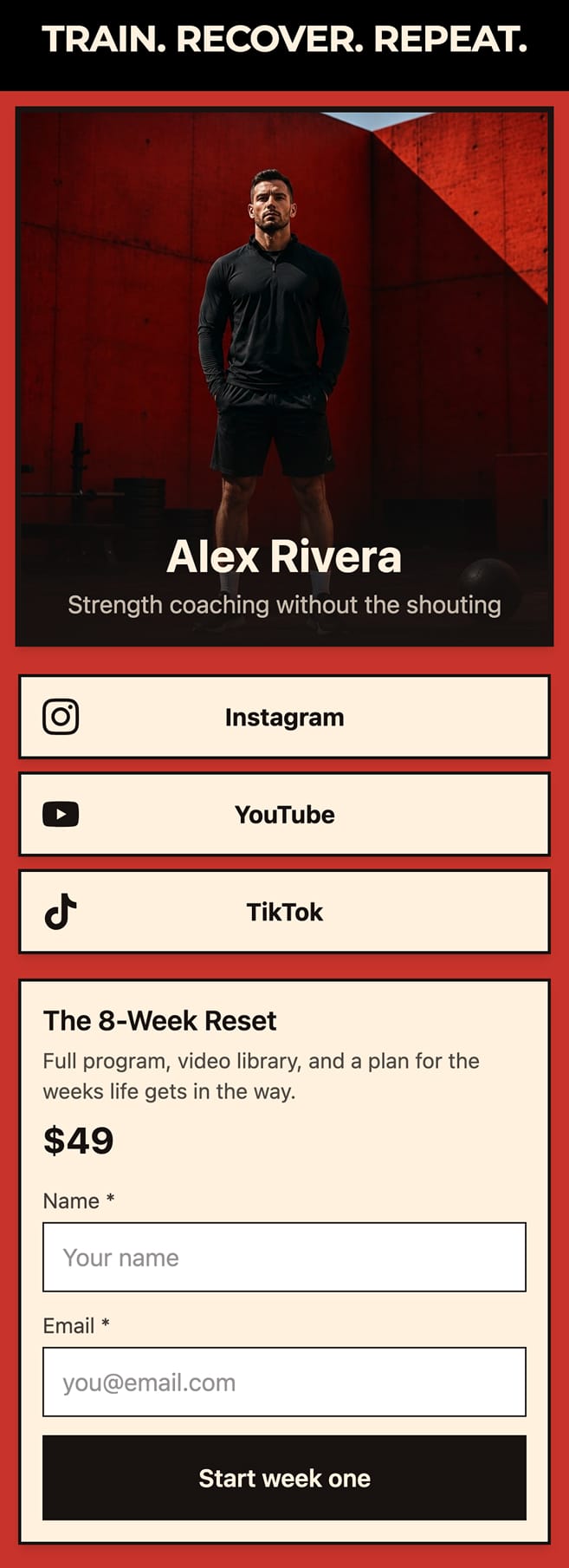
Alex Rivera — a coaching page that sells its eight-week plan from a Digital Product block. 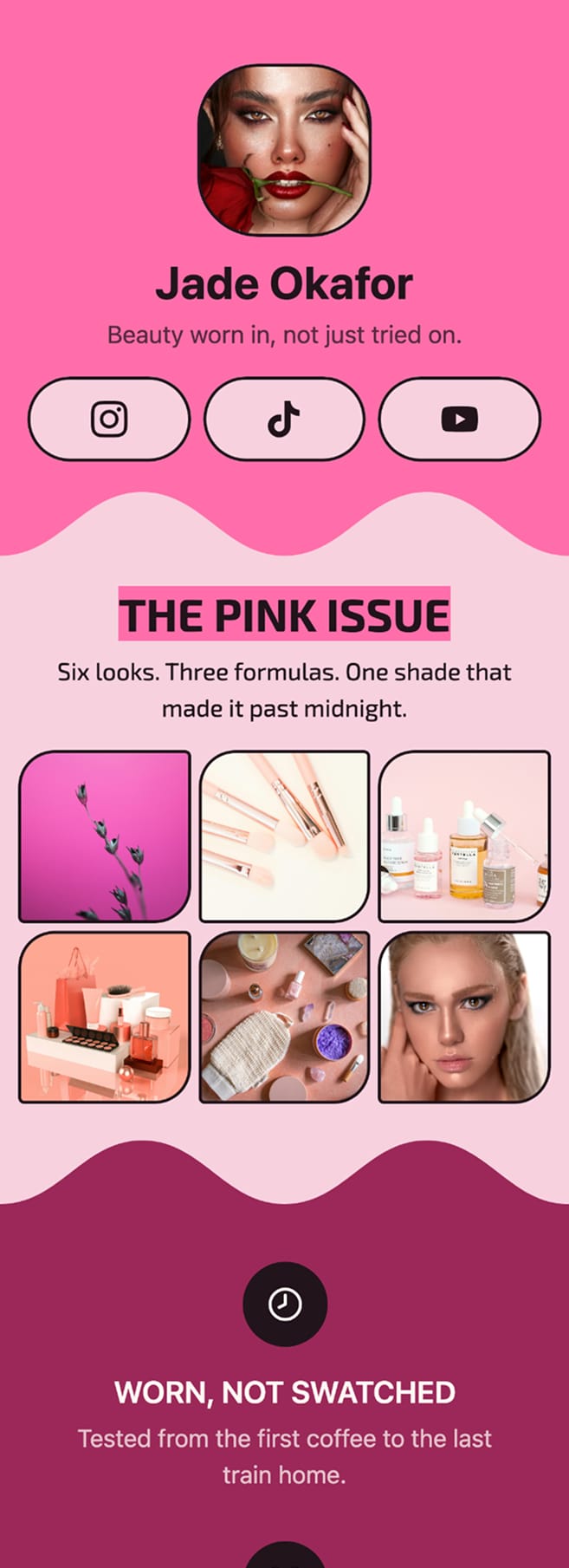
Jade Okafor — a beauty page built around a photo gallery.
Why it is not like the others
Everyone in this category has a free plan. What most of them mean by free is that the links are free and the way it looks is not — the themes worth having sit behind the paywall, the layouts are locked, and the tool's logo stays under your name until you pay to take it off. Free pages end up looking like free pages, which is the one thing a page standing in for you should not do.
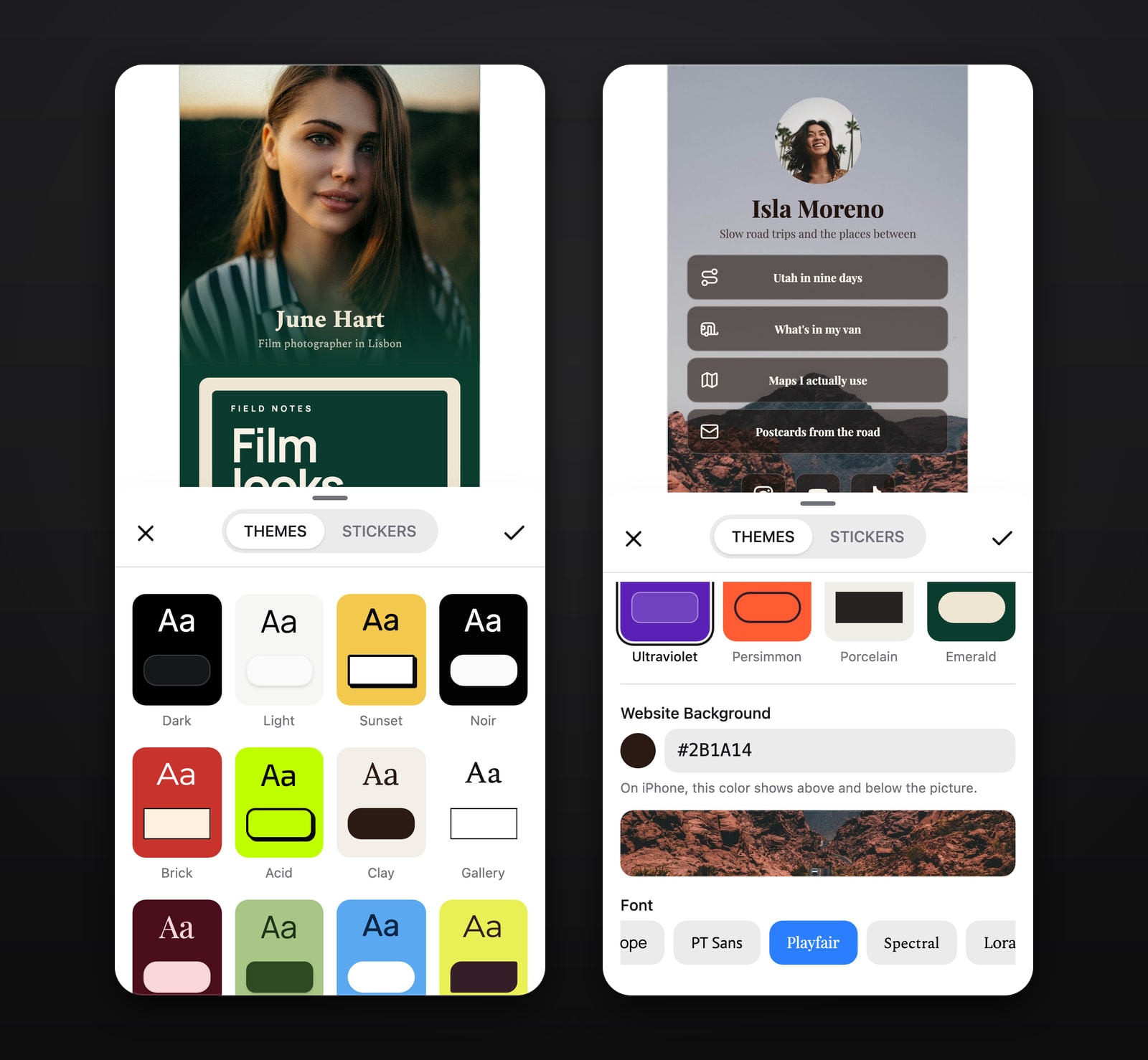
We put the design on the free side instead. Every block, every theme, and the styling of each block on its own — colour, corners, shadow, spacing — is free, and adding more of them does not move that line.
The short version
Choose Stick when how your page looks matters to you and you would rather not pay for that.
What is free today stays free. We do not charge for a colour, a block or a layout — a free page should not have to look free.
What you can actually build with it
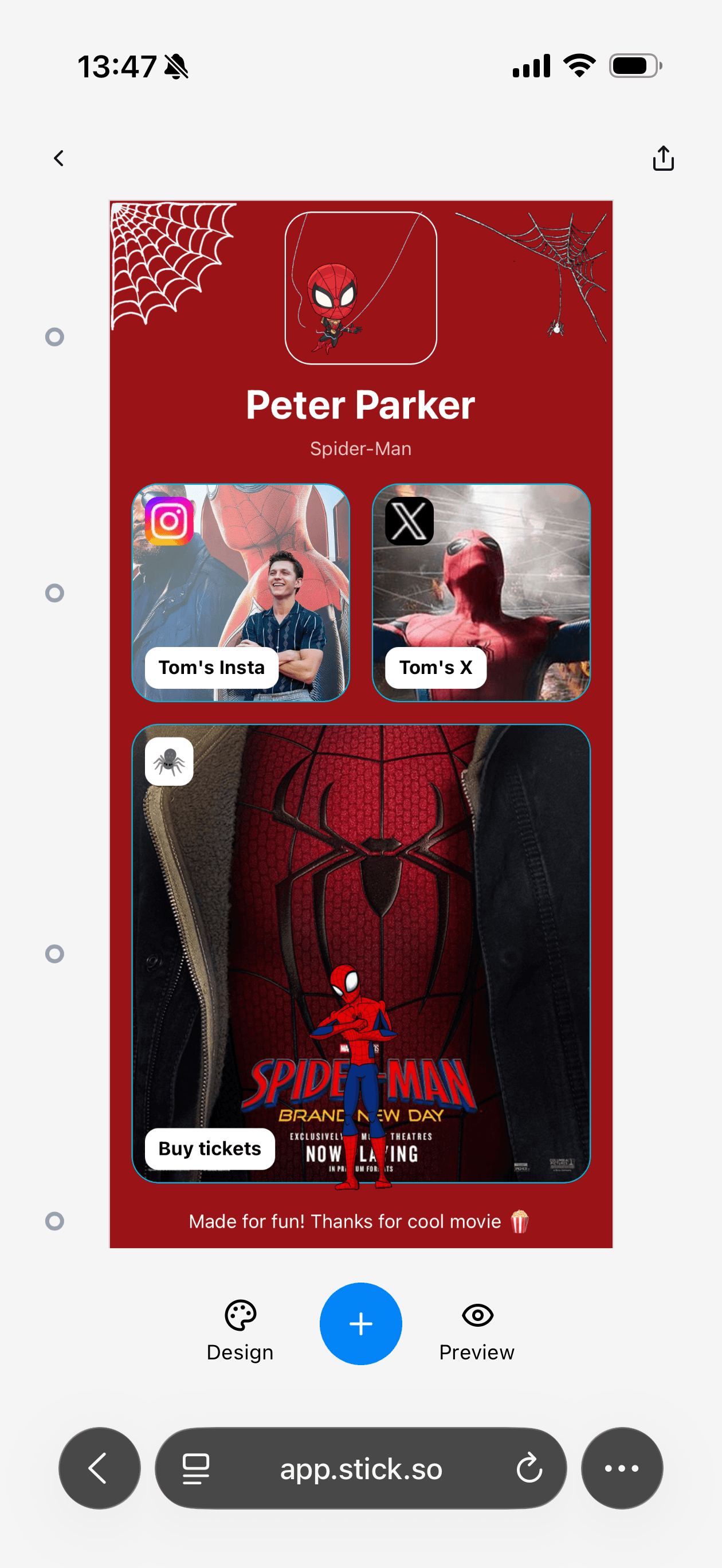
15 kinds of block, which is a long way past the stack of identical buttons most of these tools top out at. A page can open with a video, a photo gallery or a form — whatever is the real reason someone tapped your link. Under that go your links, your social accounts, an FAQ if people keep asking you the same three questions, a map if you want to be found. If you make something people pay for — an ebook, a preset pack, a template — a Digital Product block sells it from the page and delivers the file.
20 themes to start from — Dark, Light, Sunset, Noir, Brick, Acid, Clay, Gallery, Wine, Matcha, Sky, Wasabi, Candy, Nocturne, Lagoon, Cobalt, Ultraviolet, Persimmon, Porcelain, Emerald — and you can change anything about any of them. The editor is a phone-shaped canvas rather than a desktop window, because a link in a bio is opened on a phone, and a page that was designed on a laptop usually looks it.
Selling from the page
A Digital Product block turns part of the page into a shop for one thing — an ebook, a preset pack, a template. Set a price, and a sale price when you are running one; the buyer pays through Stripe's checkout and gets the file by email.
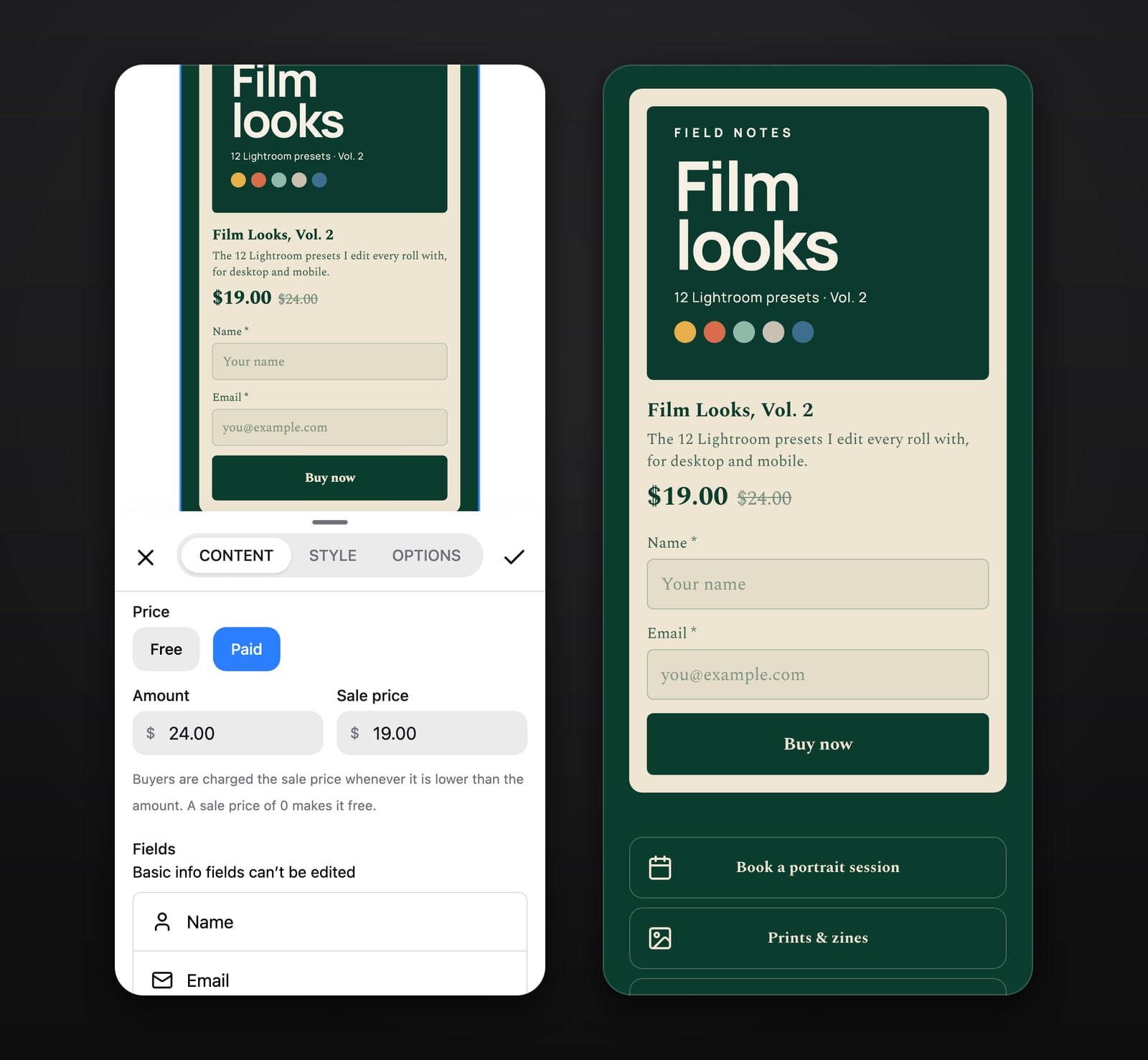
The money goes to your own Stripe account, which you connect once in Settings. You are the seller, so refunds and taxes are yours to handle, and Stick takes no percentage of the sale; Stripe's processing fees still apply. Set the product to Free instead and it is given away for an email address, which lands in your Audience list alongside everyone who filled in a form.
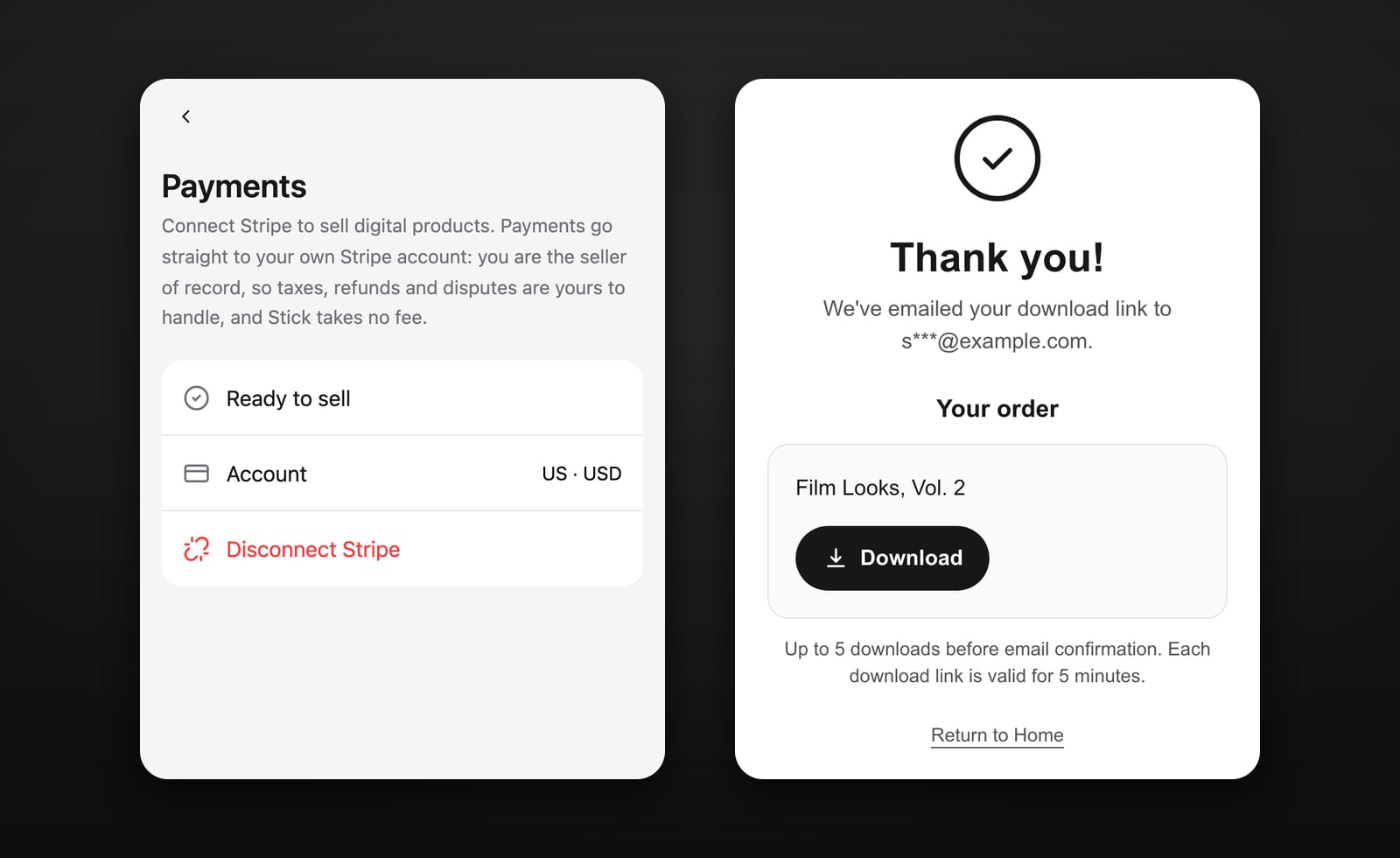
You can see what is working
Views, clicks, and which links people actually tap — free, not the tier above. It is the part that tells you whether the thing you put at the top was the right thing to put at the top.
How it looks in search and in a shared link
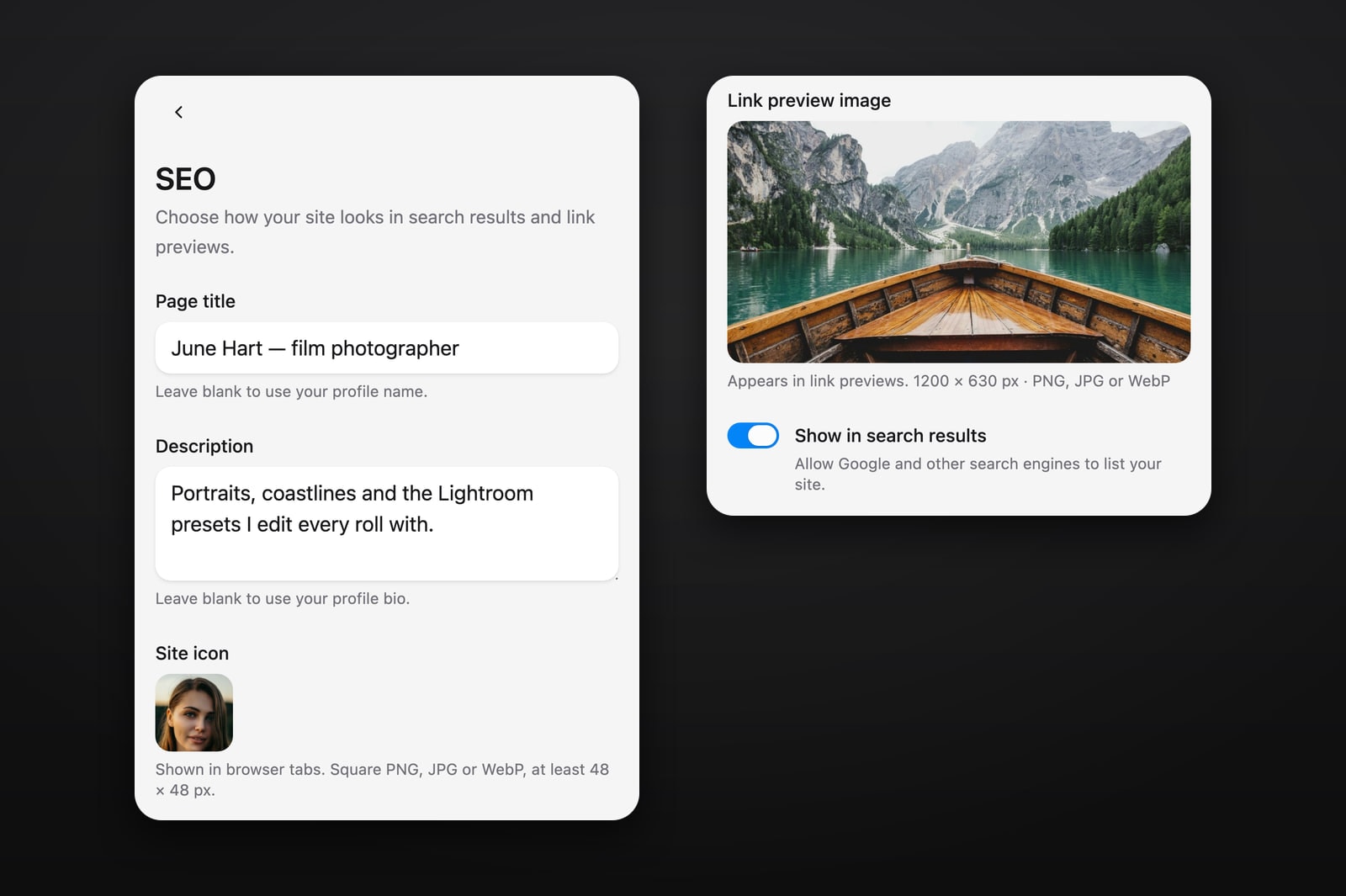
The page has its own title, description, icon and link-preview image, so a link pasted into a message or a post shows the picture you chose rather than whatever a crawler guessed. One switch decides whether search engines list the page at all.
Start before you sign up
You can open the editor and build the whole page without an account. Stick asks for an email when you press Publish, or when you set up a paid product — not before.
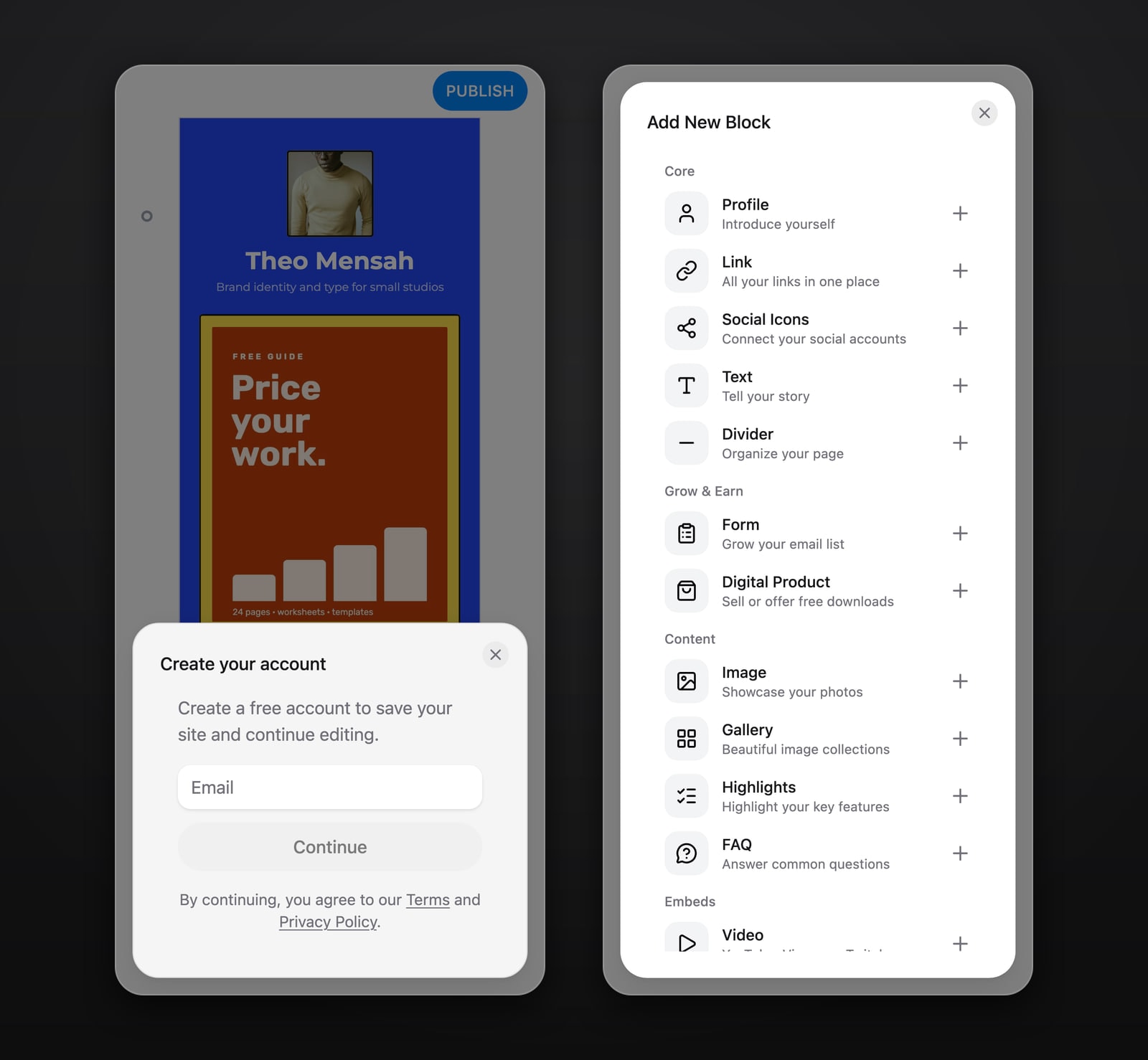
Build it by chatting with ChatGPT or Claude
Connect Stick to ChatGPT or Claude, say what the page is for and what goes on it, and the assistant builds a draft in your Stick account. It can keep changing the draft as you talk, but it cannot publish: you check the page in the editor and publish it yourself. Connecting costs nothing on Stick’s side; Claude works on any plan, and ChatGPT where your plan has Developer mode. Here is how to connect ChatGPT or Claude.
What it costs
Nothing, today. Stick has no paid plan at all, so everything above is simply what the product does. What is meant to sit outside the free plan later, and what it will cost when it exists, is on the pricing page. Pages published now carry a small Stick badge.
What is not in it yet
Worth knowing before you start, so nothing comes as a surprise later. These are not in Stick today:
- A domain of your own — pages publish on a Stick subdomain
- Removing the Stick badge from a published page
- More than one page per site
- Ready-made page templates
- Any interface language other than English
A domain of your own is the one we are building towards, and it is the kind of thing that will sit outside the free plan when it arrives — the pricing page has the current state of that. If you want to see how Stick lines up against the rest of the category first, we keep a flat comparison of the lot.
Last checked 2026-09-30.
Questions people ask about Stick
Start free.
The whole builder, with nothing about how the page looks held back.
CREATE YOUR SITE — FREE