There are three places to sell an ebook: Amazon's Kindle Direct Publishing, a hosted store like Gumroad, and a checkout on your own page. They differ in who finds the book, how much of the price you keep, who deals with tax, and whether you can sell anywhere else at the same time.
Start with who will buy it#
Amazon is where people look for books they haven't heard of yet. If yours is a novel, or a broad topic strangers will search for, a place on that shelf is worth the share Amazon keeps. If it's a guide for people who already follow you, such as a recipe collection, a training plan or a workbook, they will reach it from your profile, and how much of each sale you keep matters more than whose shelf it sits on.
Amazon KDP#
Kindle Direct Publishing pays a royalty of 35% or 70% of the list price, before VAT. On Amazon.com, the 70% rate applies to ebooks listed from $2.99 to $12.99 (the ceiling rose from $9.99 on 7 July 2026), less a delivery charge based on the file's size, which Amazon puts at $0.06 a copy on average. Outside that range the royalty is 35%. A $9.99 ebook on the 70% option earns just under $7 a copy (KDP royalties, list price requirements).
The catch is KDP Select. Enrolling puts the book in Kindle Unlimited and unlocks Amazon's promotions, in 90-day terms, and while it's enrolled the ebook can't be distributed digitally anywhere else, your own website included (KDP Select). Print editions aren't affected. If a book is in KDP Select, wait until its term has ended before you sell the ebook from your own page.
Amazon also keeps the customer: you don't get buyers' email addresses.
A store like Gumroad#
Gumroad takes 10% + $0.50 of each sale made through your profile or a direct link, plus card processing of 2.9% + $0.30. Sales that come through its Discover marketplace pay a flat 30% instead (Gumroad fees). Gumroad is the merchant of record, so it handles sales tax and VAT for you (Gumroad pricing). That is most of what the percentage buys.
Your own page#
A checkout on your own page costs card processing and nothing else. At Stripe's standard US rate of 2.9% + $0.30, a $9.99 ebook costs $0.59 in fees and leaves you $9.40, and every buyer's email address is yours. Two jobs move to you in exchange. Buyers come from your profile, your posts and your list. And you are the seller of record, so sales tax or VAT on digital sales, where it applies, is yours to work out and pay.
Stan Store sells from your own page too, for a monthly subscription and no cut on sales. Our Stan Store explainer has its prices, and Stick vs Stan Store compares the two.
The same $9.99 ebook in all three places, for a US seller and a US card:
| Where it sells | You keep from $9.99 | Sales tax and VAT | Sell it elsewhere too |
|---|---|---|---|
| Amazon KDP, 70% option | About $6.95 | Amazon | Not while in KDP Select |
| Gumroad, through your link | $7.90 | Gumroad | Yes |
| Your own page, Stripe checkout | $9.40 | You | Yes |
The KDP figure assumes Amazon's average delivery charge. Amazon's and Gumroad's terms were checked against their own pages on 28 October 2026. The Stripe row uses Stripe's standard US rate for domestic cards, and the Stripe fee calculator works out other prices.
PDF, EPUB or both#
- PDF keeps your layout exactly as you designed it, which suits illustrated guides, recipes and workbooks. On a phone it means zooming.
- EPUB reflows the text to fit the screen, which suits long reading on phones and e-readers, at the cost of simpler layouts.
- Both, if you can't choose. Selling from your own page, you can zip the two into one download.
If you design the book in Canva, its license sets two conditions for ebooks (Canva's guide). Pro content has to be used in a design made in Canva, not downloaded and laid out in other software. And a Pro photo used unedited, alone on a page, has to stay under 480,000 pixels, which is 800 × 600. Templates follow different rules, covered in how to sell Canva templates.
Sell it from your Stick page#
- In the editor, add a Digital Product block. It's under Grow & Earn in the block menu.
- Upload the book's cover, then write a title and a description that says what's inside, how long it is and which format the buyer gets.
- Under Price, choose Paid and enter the amount. An optional Sale price is charged whenever it's lower, with the original shown crossed out, which suits a launch week.
- Under Reward after submit, choose File and upload the PDF, the EPUB or a ZIP of both. A file can be up to 5 GB.
- Connect Stripe once, in Settings → Payments. Prices show and charge in your Stripe account's currency, and a paid product won't publish until that account can take payments.
- Publish, and put the page in your bio.
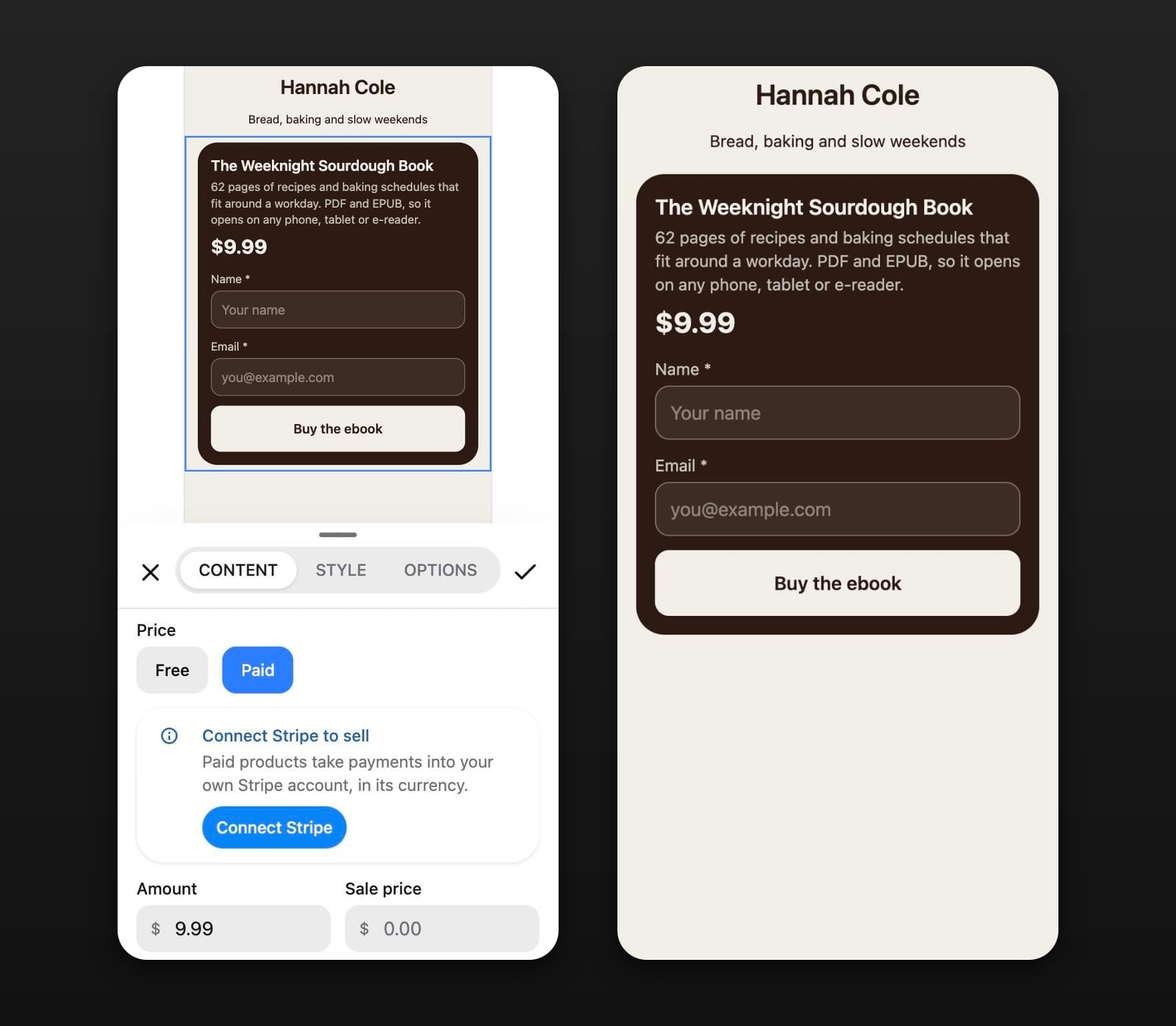
A buyer types their name and email into the block and pays on Stripe's checkout page. They land on a receipt with a Download button, and Stick emails them a link back to it. Each download link works for five minutes, and an order gets five downloads; after that, a code sent to the buyer's email unlocks five more. Refund a sale in full from Stripe and its download stops working.
The money goes to your own Stripe account, and Stick takes no percentage of it. Checkout charges the price you set without adding tax on top, so any tax you owe comes out of that price. Which Stick plan includes paid products is on the pricing page.
A free ebook works as a lead magnet: set the price to Free, and readers leave a name and email to get the download. Everyone who fills in the block, buyer or not, lands in your Audience, which you can export as a CSV.
Most of this applies to any document you sell, not only books: how to sell a PDF online covers the file itself, from the footer to what happens when someone shares it.